
Replacement MEDION A41-A15 Laptop Battery (Li-ion 14.4V 5200mAh)
Choose Capacity: 5200mAh,
Looking for A41-A15 battery? You've come to the right place. We stock a lot of MEDION batteries in our warehouse to cover most every leading MEDION Laptop Battery part no./models on the market, including MEDION A41-A15 battery.
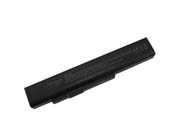
Click to enlarge it.

MEDION A41-A15 Laptop Battery
Price: US $42.99
Descriptions of MEDION A41-A15 Laptop Battery
Note: Please ensure the product(s) that you are going to buy fits the brand, model and part number of your device.
This MEDION A41-A15 Battery can replace the following part numbers:
- A41-A15
- 40036064
- 40036065
- 40036108
- A32-A15
- A42-A15
- A42-H36
This MEDION A41-A15 Battery is also compatible with the following models:
- Akoya E6201
- Akoya E6221
- Akoya E6222
- Akoya E6227
- Akoya E6228
- Akoya E6234
- Akoya E7201
- Akoya E7219
- Akoya E7220
- Akoya E7221
- Akoya E7222
- Akoya P6631
- Akoya P6633
- Akoya P6634
- Akoya P6635
- Akoya P6637
- Akoya P6638
- Akoya P6640
- Akoya P6815
- Akoya P7621
- Akoya P7815
- Akoya P7816
- Akoya P7817
- Akoya P7818
- Erazer X6815
- Erazer X6816
Description of MEDION A41-A15 Battery
MEDION A41-A15 Laptop Battery Guarantee
- 1 year warranty, 30 days money back guarantee, 100% brand new.
- Never sell used or refurbished batteries.
- Shopping with us is safe and secure, 100% customer satisfaction.
- Worldwide Shipping, includes USA, Canada, Australia, New Zealand, United Kingdom, Ireland etc 200 Countries. The shipping cost is US$7.99.
- Items are generally shipped out in 1-2 days after payment is received.
- Any questions, please don't hesitate to contact us.
Some tips for the new replacement MEDION A41-A15 battery
- Please charge 3-4 hours before using the new battery for MEDION A41-A15 laptop for the first time; normally it requires two to three charge/discharge cycles before achieving maximum capacity.
- If external power supply will be used for a long time, please remove the replacement A41-A15 battery from your MEDION laptop, which can increase the battery life, as connecting to a power supply each time is considered to be a single battery charge.
- Never short-circuit the repalcement battery for MEDION A41-A15 laptop battery pack by either accidentally or intentionally bringing the terminals in contact with another metal object. This could cause personal injury or a fire, and could also damage the battery pack. .
- If your replacement MEDION A41-A15 battery will not be in use for a long time, remove it from your laptop and store it in an Anti-Static bag in a dry, cool place; Make sure that the battery is preserved with electricity(about 30-50% of its capacity) and it is highly recommended that the battery should be charged at least once a month.
We are a professional laptop battery distributor. Online Provide Laptop Batteries, Cordless Drill Batteries etc. 100% OEM Compatible, 100% quality control assurance before shipping.
Copyright © 2018 easyplazas.com. All Rights Reserved.
Copyright © 2018 easyplazas.com. All Rights Reserved.
